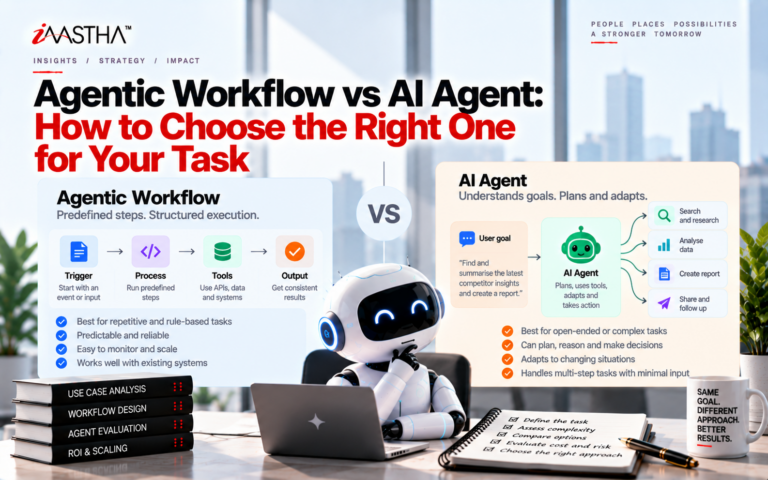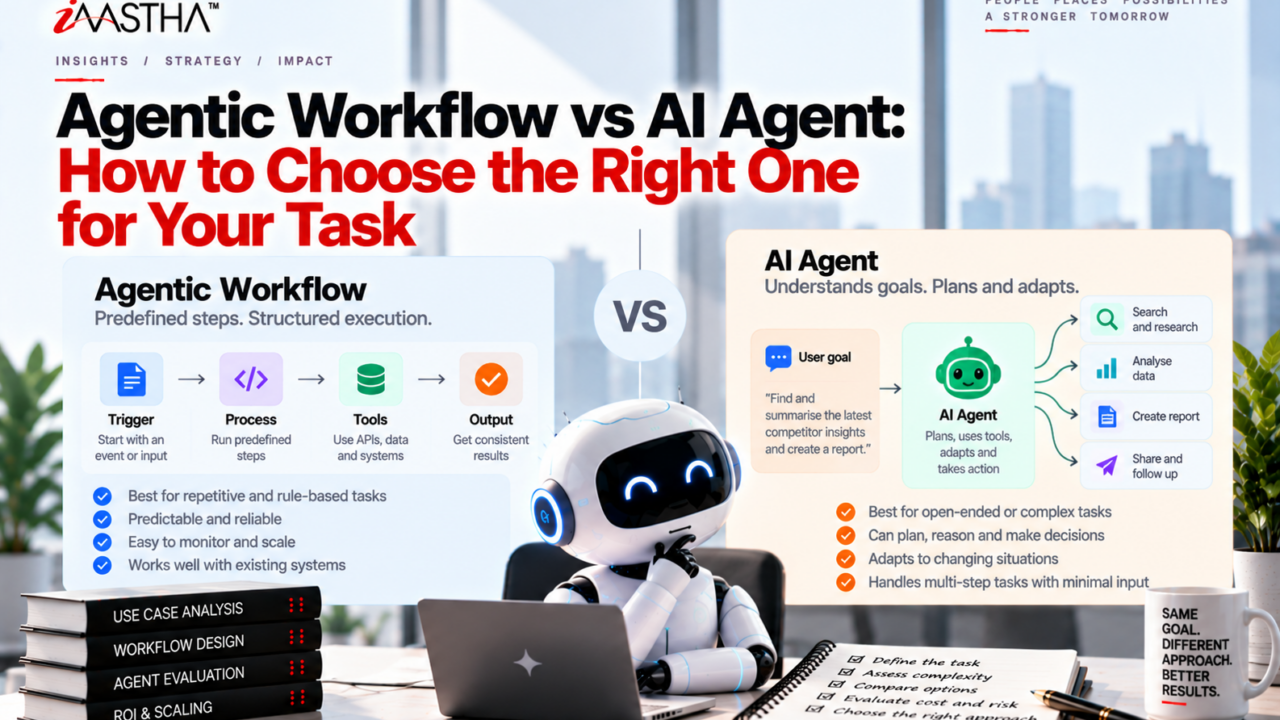
If you can write the steps down in advance, build a workflow. If the steps depend on what the system discovers along the way, evaluate an agent. Workflows are cheaper, faster and easier to debug. Agents are more flexible but cost more and respond more slowly. Start with the simplest option that does the job.
Most teams reach for an AI agent first because it sounds more advanced. That is usually the wrong starting point. The better question is what your task actually needs. This guide explains the difference between an agentic workflow and an AI agent, shows real examples, walks through how to build one, and ends with a short interactive quiz so you can score your own use case.
What Is an Agentic Workflow?
If you have searched for ‘what is an agentic workflow’, here is the plain answer. An agentic workflow is a system where a large language model (LLM) and other tools are connected through a path that you define in code. The model does real work at each stage, such as classifying a request, drafting text or extracting data, but the order of the steps is fixed by you.
Think of a straight line. Input goes in, passes through step one, step two and step three, and an output comes out. The model never decides to skip a step or invent a new one.
This predictability is the main selling point. You know what will happen, you can test each stage, and when something breaks you know where to look.
Common Workflow Patterns
Anthropic’s engineering team describes several repeatable patterns that cover most workflow needs:
- Prompt chaining: one model call feeds the next, with optional checks between steps.
- Routing: an input is classified and sent to the handler best suited for it.
- Parallelization: several calls run at the same time, then their results are combined or compared.
- Orchestrator and workers: one model breaks a task into parts and hands them to other models.
- Evaluator and optimizer: one model produces a draft while another critiques it in a loop.
What Is an AI Agent?
An AI agent is different. Instead of following a path you wrote, the model decides its own next move. It chooses which tool to use, looks at the result, and adjusts. It keeps going until it judges the goal is met or it hits a limit you set.
Think of a branching route with a loop. The agent plans, acts, checks the outcome and tries again if needed.
This is also where the common confusion about AI agents vs agentic AI comes from. People use the two phrases loosely, and search results mix them up. A practical way to separate them: ‘agentic AI’ is the broad idea of AI systems that act with some autonomy, while an ‘AI agent’ is one specific design where the model directs its own process. Workflows and agents both sit under the wider agentic umbrella.
AI Agent vs Workflow: The Core Differences
When people compare an AI agent vs workflow, the real difference is who controls the path. In a workflow, your code does. In an agent, the model does.
| Factor | Workflow | AI Agent |
| Who decides the steps | You, in advance | The model, as it works |
| Predictability | High | Lower |
| Cost per task | Lower | Higher (more model calls) |
| Speed | Faster | Slower |
| Debugging | Easier, step by step | Harder, path varies each run |
| Best for | Repeatable, well understood tasks | Open ended, unpredictable tasks |
| Main risk | Too rigid for edge cases | Errors that compound, surprise costs |
Cost and Latency: The Price of Flexibility
Every decision an agent makes is another model call. Over a long task, that adds up in both money and waiting time. Anthropic’s guidance notes that agentic systems trade speed and cost for better performance on harder tasks, so you should only pay that price when the task justifies it.
Here is a simple way to picture it. A workflow that classifies a support email and drafts a reply might make two or three model calls every time. An agent handling the same email might make two calls on an easy day and fifteen on a messy one. You cannot easily predict your bill, and the customer cannot predict how long they will wait.
For a task you run thousands of times a day, that difference is large. For a task you run ten times a week, it may not matter at all. This is why the right choice depends on volume, risk and how much the steps vary.
Agentic Workflow Examples
Looking at agentic workflow examples makes the choice easier. Here are five realistic cases and which design usually fits.
1. Invoice Data Extraction (Workflow)
A document comes in, the model extracts fields, a second step validates totals, and the result is saved. The steps never change, so a workflow is the clear fit.
2. Support Ticket Routing (Workflow)
A model classifies each ticket by topic and urgency, then sends it to the right queue. This is a textbook routing pattern. No agent needed.
3. Marketing Content Drafting With Review (Workflow)
One call drafts a post, a second call checks tone and facts against a checklist, and a third formats it. An evaluator and optimizer loop can improve quality without giving the model full control.
4. Fixing a Bug Across Many Files (Agent)
A coding agent has to read files, run tests, see what failed and try a different fix. Nobody can list the steps in advance because they depend on what the code reveals. This is where an agent earns its cost.
5. Open Ended Research Questions (Agent)
If the question might need five searches or fifty, depending on what turns up, a fixed path will either stop too early or waste effort. An agent can keep digging until it has enough.
How to Build an Agentic Workflow (Step by Step)
If you are wondering how to build an agentic workflow, the process is simpler than most tutorials make it look.
- Define the task and the finish line. Write one sentence describing what a good output looks like.
- List the steps you already know. If you can list them all, you likely need a workflow, not an agent.
- Start with a single model call. Add retrieval or examples before adding more complexity.
- Add steps only when a single call falls short. Chain, route or parallelize as needed.
- Put checks between steps. Validate outputs so errors are caught early rather than passed along.
- Measure quality, cost and speed. Track all three on real examples, not just a demo.
- Consider an agent only if the workflow keeps failing. If the steps genuinely cannot be predicted, test an agent and set clear limits on how long it can run.
Anthropic’s advice here is worth remembering: aim for finding the simplest solution possible, and only increasing complexity when needed.
Interactive Quiz: Does Your Use Case Need a Workflow or an Agent?
Answer each question with Yes or No. Give yourself 1 point for every Yes.
| # | Question | Yes = 1 point |
| 1 | Do the steps change from one run to the next? | |
| 2 | Is the number of steps impossible to know in advance? | |
| 3 | Does the next action depend on what the previous action found? | |
| 4 | Can you accept slower responses and a higher cost per task? | |
| 5 | Can the system safely try, fail and retry without causing harm? |
Your score:
- 0 to 1 points: Build a workflow. Your task is predictable, and a fixed path will be cheaper and more reliable.
- 2 to 3 points: Build a workflow first, then add one flexible step where it is truly needed. A hybrid often wins here.
- 4 to 5 points: Evaluate an agent. Set limits on steps, time and spend, and test it on real cases before trusting it.
Poll for readers: Which are you running today, a fixed workflow, an agent or a mix? Share your answer in the comments and tell us why.
Common Mistakes to Avoid
- Starting with an agent by default. It feels modern, but it adds cost and risk you may not need.
- Skipping evaluation. Without test cases, you cannot tell whether a more complex design is actually better.
- No limits on agents. Always cap the number of steps, the running time and the budget.
- Ignoring human checkpoints. For anything high stakes, keep a person in the loop.
- Forgetting tool design. Clear, well documented tools help both workflows and agents perform better.
Expert Guidance Worth Following
The most useful single source on this topic is Anthropic’s engineering article, Building Effective Agents. Its core message is a discipline, not a trend: match the architecture to the task. Predictable steps suit predefined workflows. Open ended work with an unpredictable path may justify an agent, provided you accept the extra cost and latency and can trust the system to act with a degree of autonomy.
That guidance is reinforced by what practitioners see in production. The most successful systems tend to rely on simple, composable patterns rather than heavy frameworks, and they add complexity only after measuring that simpler versions fall short. If you are an engineer or a founder and have your own experience to add, consider adding a short quote from your team here to strengthen the trust signals on the page.
Frequently Asked Questions
What is the difference between an agentic workflow and an AI agent?
In an agentic workflow, your code sets the order of the steps and the model completes each one. In an AI agent, the model decides its own steps and tool use while it works.
When should I use an AI agent instead of a workflow?
Use an agent when the task is open ended, the number of steps cannot be predicted, and the extra cost and latency are acceptable. Otherwise, a workflow is usually the better choice.
Are agentic workflows cheaper than AI agents?
Usually yes. Workflows make a predictable number of model calls, while agents may make many more depending on the task, which raises cost and response time.
Can I combine a workflow and an agent?
Yes. Many strong systems use a workflow for the predictable parts and add an agent only for the step that truly needs flexibility.
Do I need a framework to build an agentic workflow?
Not necessarily. Many workflows can be built with direct model calls and plain code. Frameworks can help, but they add layers that make debugging harder, so use them with care.
Key Takeaways
- Fixed steps? Start with a workflow.
- Changing steps? Evaluate an agent.
- Agents trade cost and speed for flexibility.
- Start simple, measure results, and add complexity only when it earns its place.
- Use the five question quiz above to score your own use case.
What does your use case actually require: a fixed path, or room to improvise?