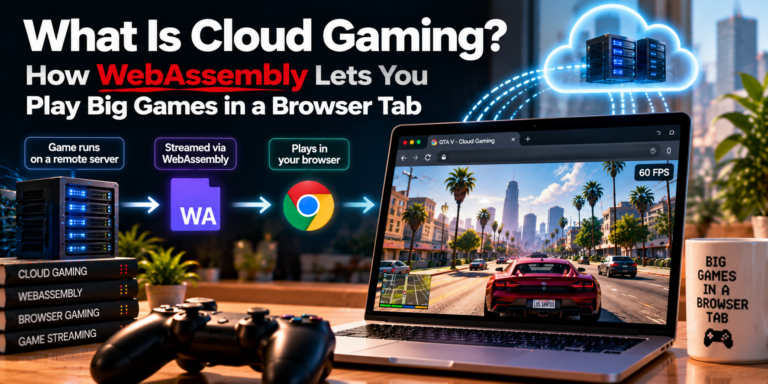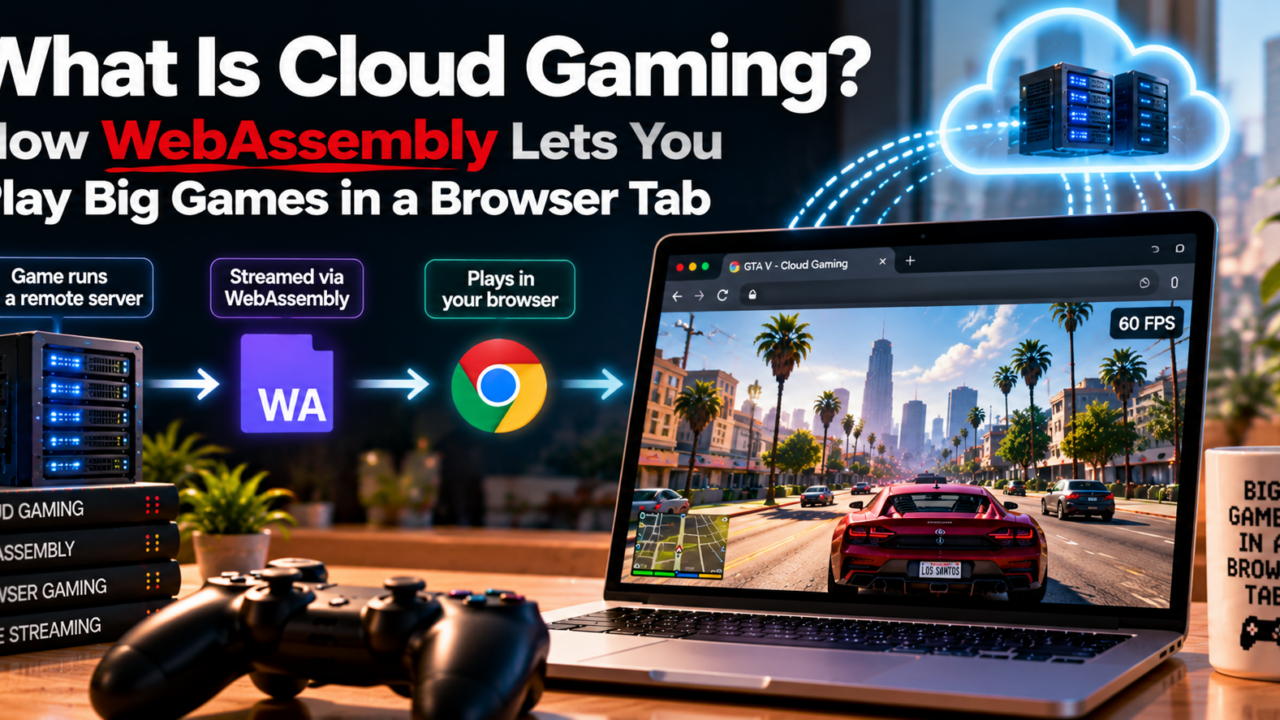
Cloud gaming runs a game on a remote server and streams it to your screen, so there is nothing to install. WebAssembly (WASM) is a separate technology that lets complex code run inside your browser at near-native speed. Together, they point to a future where a 100 GB game is just a new tab.
What Is Cloud Gaming?
Cloud gaming means the game does not run on your device. A powerful server somewhere else runs it, encodes the picture as video, and streams it to you. Every button press travels back to that server in a fraction of a second. Your phone, old laptop or TV only has to play video and send inputs.
That is why cloud gaming feels like Netflix for games. You skip the console boot, the 50 GB patch and the storage warning. You press play, and the game is there.
What you need to make it work
Three things matter: a stable internet connection, low latency (the delay between your input and the screen reacting) and a supported device or browser. Providers usually suggest around 15 to 25 Mbps for 1080p streaming, but check each service’s current requirements, because they change. A wired connection or a 5 GHz Wi-Fi network helps more than most people expect.
How a Browser Ran GTA 5 Without a 100 GB Download
Earlier this year, an unofficial site reportedly loaded the full version of GTA 5 inside Chrome. Story mode and free roam were said to work, even on mobile. It was unauthorized and reportedly built on leaked code, so it was taken down within hours. This article does not link to it, and you should not use sites like it: they break copyright law and can put your device at risk.
The takedown was about the leak. The technology behind it is real, legitimate and already used across the web. That technology is WebAssembly.
What is WebAssembly (WASM)?
Big games are written in languages like C++, which browsers cannot run on their own. WebAssembly is a compact binary format that developers compile that code into. The browser then runs it at close to native speed. WASM became an official W3C web standard in December 2019 and works in Chrome, Firefox, Safari and Edge.
Two design choices make it useful for games. First, it runs inside a sandbox, so the code cannot freely touch your files or system. Second, it supports streaming: the browser can start running the program while data is still arriving.
Why streaming assets changes everything
Traditional installs make you wait for everything first. A streamed approach loads only what you need right now, like the first area of a map, and fetches the rest while you play. That is the same idea behind video streaming, applied to game files.
WebAssembly vs a Cloud Gaming Platform: Two Ways to Skip the Download
People mix these up, so here is the clean difference. A cloud gaming platform runs the game on a remote machine. WebAssembly runs the game on your own device, inside the browser.
| Cloud gaming platform | WebAssembly in the browser | |
|---|---|---|
| Where the game runs | Remote server | Your device |
| What you need | Fast, stable internet | A reasonably capable device |
| Main weakness | Latency and bandwidth | Device power and memory limits |
| Best for | AAA games on weak hardware | Lighter games, demos, instant trials |
| Today’s maturity | Mainstream services | Growing, mostly smaller titles |
Neither is better in every case. The interesting future is a mix: heavy lifting on servers where it makes sense, and smart local code in the browser where it does not.
The wider point is that browsers are no longer just for documents. With WASM and newer graphics APIs like WebGPU, they are becoming a serious place to run software, and games are an obvious test.
What Is DLSS and Why Does It Matter for Browser Gaming?
DLSS stands for Deep Learning Super Sampling. It is an Nvidia technology that renders a game at a lower resolution, then uses an AI model to upscale the image so it looks sharp. Newer versions can also generate extra frames to make motion smoother. Because the GPU draws fewer pixels, the game runs faster.
To be accurate, DLSS runs on Nvidia hardware and is not something a normal web page can switch on by itself. But the principle matters: render less, then reconstruct more with AI. Pair that principle with efficient code like WASM, and it is easy to imagine big games running smoothly on much lighter devices. It also helps cloud services, which can stream sharper video from the same server power.
GeForce NOW Cloud Gaming: Play Games You Already Own
GeForce NOW cloud gaming is Nvidia’s streaming service. Its main idea is that you bring your own library. You link a supported store account, such as Steam, and stream the PC games you already own on a phone, Mac, Chromebook or in a supported browser.
Who it suits
It suits people with a large existing library and a weak device. The plans have changed over time, including a free tier with session limits and paid tiers with longer sessions and higher quality, so check the current options before you commit. Not every game is supported, so search the game list first.
Xbox Game Pass Ultimate Cloud Gaming: The Catalog Approach
Xbox Game Pass Ultimate cloud gaming works the other way around. You pay a subscription and stream titles from a rotating catalog, with no purchase and no install. It works on consoles, phones, tablets and in a supported web browser.
Which approach wins?
If you already own many PC games, GeForce NOW cloud gaming usually fits better. If you like trying lots of games for one monthly price, the Xbox model fits better. Either way, test the service on your own network during a trial before you rely on it, because your home connection matters more than any spec sheet.
Choosing a Cloud Gaming Platform: Try the Device Checker
Pick your device and connection, and the tool suggests where to start. It is a rule of thumb, not a guarantee.Your devicePhone or tabletOlder laptop or ChromebookGaming PCSmart TV or streaming stickYour internet speedUnder 15 Mbps15 to 50 MbpsOver 50 MbpsHow you connectWired or 5 GHz Wi-FiBasic Wi-FiGet my recommendation
Quick Quiz: How Well Did You Follow?
1. What does WebAssembly let a browser do?Install games to your hard driveRun compiled code like C++ at near-native speed in a sandboxStream video from a remote server
2. In cloud gaming, where is the game actually rendered?On a remote serverOn your phoneInside your router
3. What does DLSS do?Compresses game downloadsRenders at lower resolution and upscales with AILowers your internet latency
Frequently Asked Questions
What is cloud gaming in simple terms?
It is playing a game that runs on a remote server. You get the video and send your controls back, so nothing needs to be installed.What is WebAssembly used for in gaming?
It lets developers compile C++ and similar code to run in a browser at near-native speed, inside a secure sandbox.Is GeForce NOW the same as Xbox cloud gaming?
No. GeForce NOW streams PC games you own from supported stores. Xbox cloud gaming streams titles from the Game Pass catalog.Can I play GTA 5 in a browser legally?
Not through unofficial sites. The browser version that appeared was unauthorized and was removed. Use licensed services instead.Will browser gaming replace consoles?
Unlikely soon. Latency, device limits and licensing remain real hurdles. It will probably sit beside consoles and PCs rather than replace them.
The Bottom Line
The browser GTA 5 was shut down, but the idea behind it is not going away. Cloud gaming already removes the download for many players, and WebAssembly is quietly making the browser a stronger place to run real software. Add AI upscaling ideas like DLSS, and big games on light devices look increasingly realistic.
So here is the question: would you play your next big game in a browser tab?