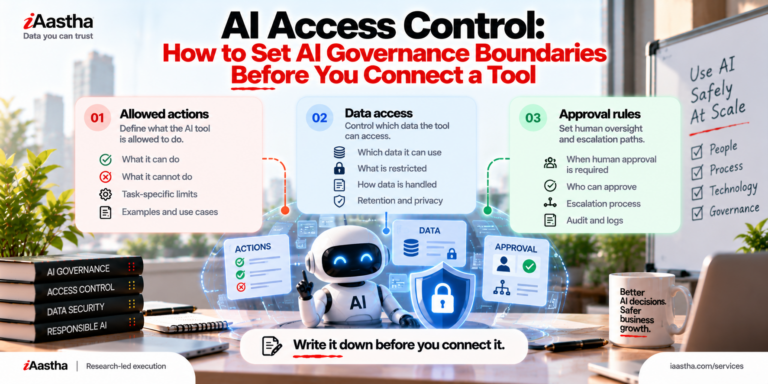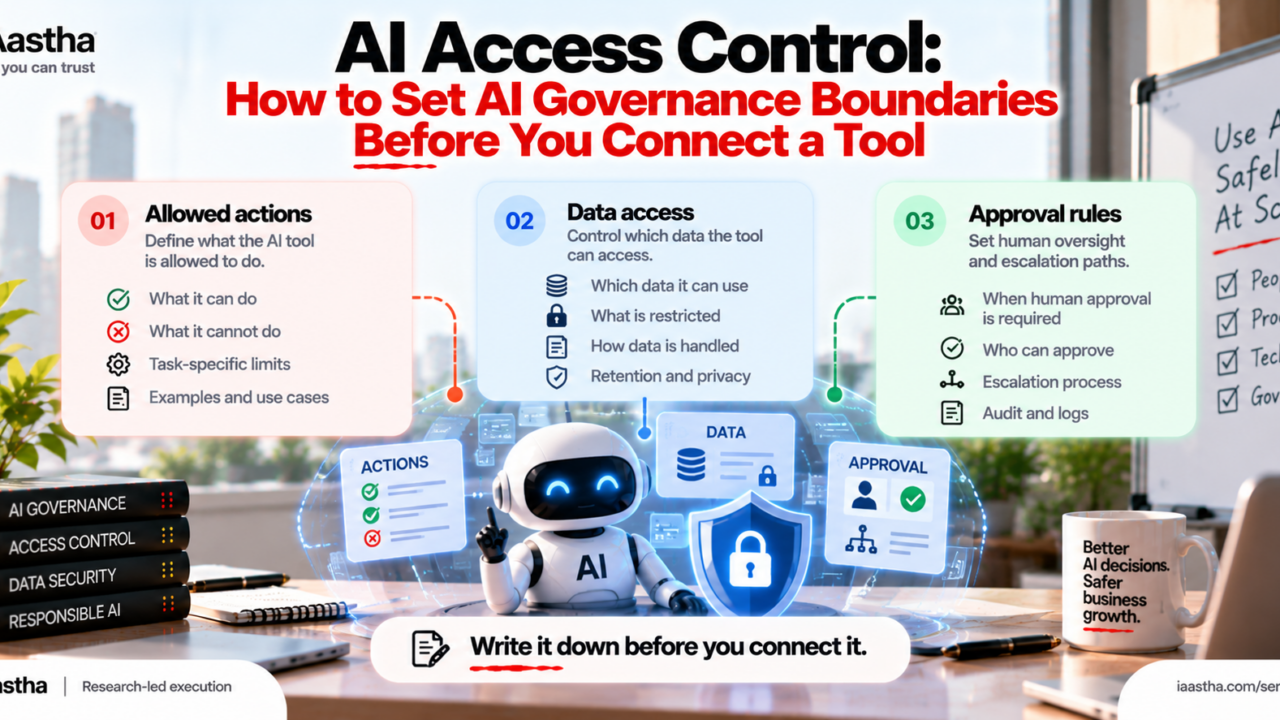
Before you connect any AI-enabled tool, write down what it may read, what it may change, and which actions need a human to approve. Review that list with the person who owns the workflow. This one page is the core of AI access control and one of the most practical AI governance best practices a team can adopt today.
AI tools are easy to connect and surprisingly hard to take back. A chatbot that can read your shared drive, an agent that can send email, an assistant that can update your CRM: each one is useful until it does something nobody expected. The fix is not a longer policy document. It is a short, explicit operating boundary, agreed before the tool goes live.
This guide shows you how to set that boundary using a one page permission card. You will learn what AI access control means, how to decide what an AI tool may read and change, which actions should always wait for a human, and how to review it all with the workflow owner. There is a card builder in the middle of the article, so you can finish with something you can use today.
Why AI tools need an operating boundary
Most AI problems inside companies are not dramatic hacks. They are ordinary permission problems. A tool was given broad access because that was faster to set up, nobody wrote down what it was supposed to do, and nobody was named as the person who could say no. When something goes wrong, the team cannot answer the basic question: was this tool allowed to do that?
Traditional software carries the same risk, but AI-enabled tools raise it in two ways. First, they act on instructions written in plain language, so their behavior is less predictable than a fixed script. Second, newer agentic tools can chain several actions together, so one loose permission can reach much further than you expect. That is why agentic AI governance starts with the same basic move as everything else: define the boundary first.
What is AI access control?
AI access control is the practice of deciding, in advance and in writing, what an AI system can see, what it can do, and when a human must step in. It borrows from a familiar security idea called least privilege, which means giving a system only the access it needs to do its job and nothing more. It sits inside the wider field of AI governance, the set of policies, roles and checks that keep AI use safe, lawful and accountable.
For AI access control for enterprise tools, this is the layer you can apply on day one. You do not need a full framework to begin. You need three answers.
The three parts of an AI access boundary
1. Allowed actions: what the tool may change
List every action the tool may take on its own, and be literal. “Helps with support” is not an action. “Drafts replies in the helpdesk and saves them as unsent” is. Sort each action into one of four levels: view only, draft, edit, or execute. Most tools should start at draft and earn more trust over time.
2. Data access: what the tool may read
This answers the question of what data an AI tool should access. Start with the workflow, not the system. If the tool summarizes support tickets, it needs tickets, not payroll. Name the systems, folders and fields it can read, and name the ones it cannot. Pay close attention to personal data, customer contracts, credentials and anything covered by regulation. If you are unsure, leave it out and add it later.
3. Approval rules: what needs a human yes
An AI tool approval workflow is a short list of actions that must pause for a person. Good candidates are anything irreversible (deleting, publishing), anything external (emails to customers, public posts), anything that spends money, and anything that changes permissions. Name who approves and how quickly they respond. Otherwise the rule becomes a bottleneck, and people will route around it.
Build your permission card
Name your tool, tick what applies, and the card writes itself. The checks underneath point out common gaps. Nothing you enter leaves this page.
Tool or workflow name
Data access: it may read
Customer records
Internal documents
Email and calendar
Source code
Financial data
Public web only
Allowed actions: it may
View only
Draft, saved as unsent
Create tickets or records
Edit existing records
Send messages externally
Delete data
Change settings or permissions
Approval rules: a human must approve
Any external message
Any deletion
Any spend or payment
Any change to customer data
Any permission change
AI ACCESS CARD
Tool: [Tool name]
Allowed actions:
(none selected yet)
Data access:
(none selected yet)
Approval rules:
(none selected yet)
Reviewed with workflow owner: ____________
Review date: ____________
How to set permissions for AI tools with the workflow owner
The card is only as good as the conversation behind it. Use this sequence in a 30 minute review.
- Name the workflow owner. Pick the person who knows the process, not only the person who bought the tool.
- Walk through one real task end to end. At each step, ask what the tool touches.
- Mark each action as view, draft, edit or execute. Remove anything the task does not need.
- Set approval rules. Cover irreversible, external and costly actions first.
- Decide how you will know. Choose logs, a weekly sample, or a named reviewer.
- Set a review date. Revisit the card at least every quarter, and whenever the workflow, the data or the tool changes.
Five mistakes that weaken AI governance
- Granting access by role instead of by task. Job titles are broad. Tasks are specific.
- Treating vendor defaults as policy. Defaults are built for convenience, not for your risk.
- Writing the boundary and not sharing it. If the workflow owner never sees it, it protects nothing.
- Requiring approval for everything. People stop reading prompts they see fifty times a day.
- Never reviewing after launch. Tools gain features, and workflows drift.
An AI governance framework for small teams
Formal frameworks such as the NIST AI Risk Management Framework and the ISO/IEC 42001 standard for AI management systems are well worth reading. Smaller teams, though, rarely have the time to implement one all at once. The permission card is a practical starting point that lines up with the same themes: govern, map, measure and manage. Writing the card forces you to map what the tool touches, naming an owner covers governance, and the review date keeps you managing it over time. Start here, then grow into a formal framework as your AI use expands.
Frequently asked questions
What is AI access control?
It is the practice of deciding in advance and in writing what an AI system can see, what it can do, and when a human must approve its actions.
What data should an AI tool access?
Only the data the specific workflow needs. Name the systems and fields it can read, name the ones it cannot, and add access later if the task truly requires it.
Who should approve AI actions?
The workflow owner or a named delegate who understands the process, can say no, and has a clear response time.
How often should AI permissions be reviewed?
At least once a quarter, and any time the workflow, the data or the tool changes.
Start with one card
AI governance does not have to begin with a committee. It can begin with one card, three sections and one conversation with the workflow owner. If your team is connecting AI tools to real systems and wants boundaries that hold up, Iaastha can review your setup with you.